


Kids Toddler & Preschool Games
4.781.00 Reviews
App Specs
- Version
- Varies with Device
- Updated On
- License
- Free
- Downloads
- 10,000,000+
- Developer
- RV AppStudios
- Categories
- Educational
- Platform
- Android, iOS
Screenshots
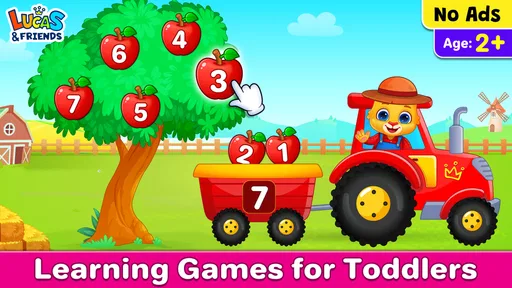
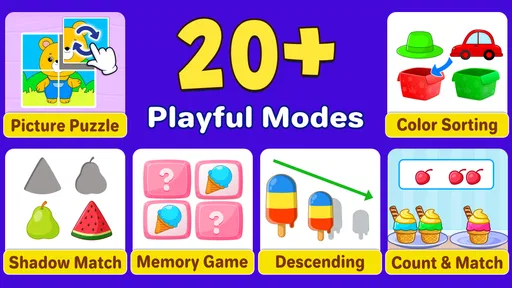
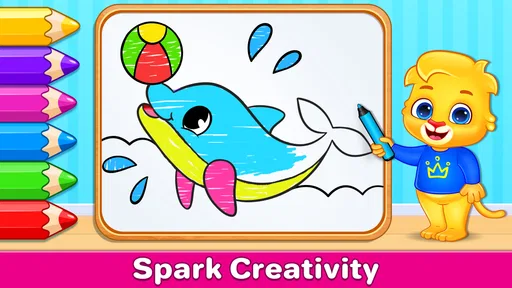
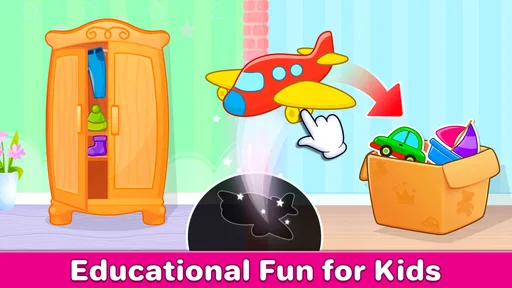
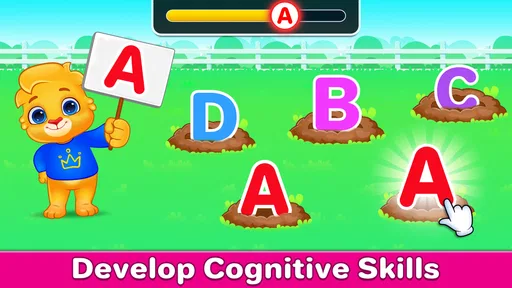
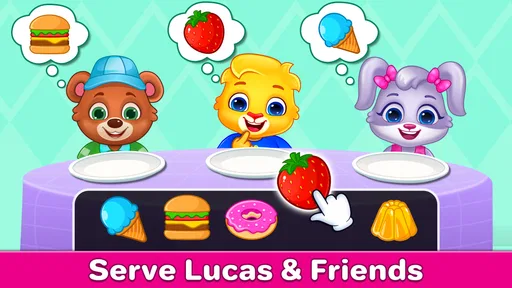
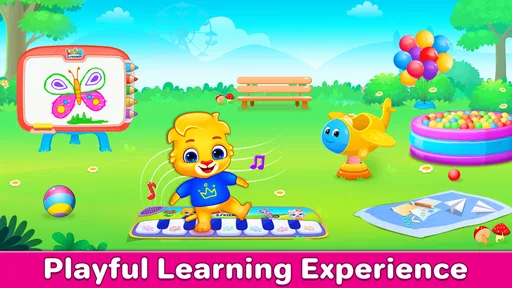
 Analysis by AppCompare
I approached Kids Toddler & Preschool Games as a parent would: not by asking whether it looks busy, but by watching what happens after a young child taps the first activity. The important question with an educational game for preschoolers is whether the child understands the action, receives a clear response, and feels encouraged to try again without needing an adult to explain every screen. In my experience, this collection is at its best when it turns a short moment of play into a small learning routine.
Developed by RV AppStudios, this is a free educational game aimed at children from three to five years old. It is available for Everyone and supports devices running Android 6.0 or later. The package brings together more than fifteen activities, so it feels less like a single lesson and more like a compact playroom that a child can revisit when attention shifts quickly.
That variety is useful, but it also creates the main challenge: a young player may move rapidly from one activity to another without staying long enough to practise a particular skill. I would therefore treat it as a guided activity collection rather than a replacement for hands-on learning, conversation, drawing, building, or reading with an adult.
What happens after the first tap
The first action matters more here than it would in an adult game. A preschool child is still learning how buttons, pictures, and instructions connect. The strongest activities in this collection make the expected action easy to understand: tap an object, choose an answer, match something, or complete a simple movement. When the visual clue is clear, the child can begin independently instead of waiting for a parent to translate the task.
I like this kind of design because it gives the child ownership of the opening moment. A parent can introduce the game once, demonstrate one activity, and then step back. That does not mean every child will navigate it alone immediately. Children develop at different speeds, and a three-year-old who is still building fine motor control may need more help than a confident five-year-old. The useful test is whether the child can recover from a wrong tap without feeling that the whole activity has failed.
The collection works best on a tablet or a phone with enough screen space for small fingers to land accurately. On a compact phone, the experience can become more demanding simply because the child has less room to aim. I would also place the device on a stable surface rather than handing it over while walking around. That makes tapping easier and keeps the activity focused instead of turning it into restless screen time.
For a first session, I would not open every available activity. I would choose one that matches the child’s current mood and ability, then let the child complete it before switching. This small change makes the app feel more like a lesson with a beginning and an end. It also helps a parent notice whether the child is practising recognition, matching, memory, coordination, or another early-learning habit rather than simply pressing colourful objects.
Worth Reading Before You Choose

EA SPORTS FC Mobile 26 Is a Bigger Football Game, but It Takes Time

Flipboard Shows What News Apps Must Do Beyond the Feed

Switching to Android Auto Means Rethinking Your Driving Routine

Google Calendar Makes a Crowded Week Easier to Manage

Ludo King Makes the Most of the Minutes Between Plans

Baby Panda World Brings Quick Play to Modern Phones, but Its Game Library Feels Busy
The action is simple, but the adult still sets the context
The game can start the interaction, but it cannot know why a child is struggling. If a child keeps tapping randomly, the problem may be that the instruction is unclear, the activity is too advanced for that moment, or the child is tired. I found it more useful to ask a short question such as “What do you think belongs here?” than to give the answer immediately. That turns the screen into a prompt for thinking rather than an automatic-answer machine.
Another practical approach is to connect the activity to something nearby. If a task involves colours, I might point to a red cup after the round and ask the child to find another red object in the room. If it involves shapes, I can continue the conversation with a toy or a book. The app supplies the quick digital example; the real-world follow-up gives the idea a better chance of sticking.
This is also where the game differs from a traditional worksheet. A worksheet can slow a child down and leave a visible record, while this app offers immediate interaction and quick repetition. I prefer the app when a child needs encouragement to begin or has only a few spare minutes. I prefer paper, blocks, puzzles, or physical sorting when I want deeper concentration and a result the child can inspect afterward.
How the feedback rhythm keeps a child moving
Preschool games live or die by feedback. A young player needs to know whether a tap worked, and the response needs to arrive quickly enough to connect the action with the result. In this collection, the basic rhythm is easy to understand: the child acts, the game acknowledges the choice, and the next opportunity appears. That short loop removes much of the frustration found in activities that make children wait for a complicated explanation.
The positive response is not just decoration. It gives the child a reason to attempt the next item, especially when the task is unfamiliar. I noticed that the most valuable feedback is the kind that confirms progress without making the child feel tested. A child can make a mistake, look again, and continue. That is a healthier pattern than an activity that treats every incorrect response as a dramatic failure.
Parents should still watch the difference between understanding and guessing. A child may complete a round by tapping several options quickly, especially when the screen gives an obvious response after each choice. If I want to know whether learning is taking place, I pause occasionally and ask the child to explain the choice in simple words. The explanation does not need to be perfect; even pointing out a colour, shape, number, or relationship shows more than a fast tap alone.
This makes the app particularly useful for short practice sessions. A child can repeat a familiar type of activity until the response becomes more confident, then move to something different before boredom arrives. The trade-off is that the game may encourage speed if the adult focuses only on completion. I would praise careful looking and trying again, not merely finishing first.
Why the response can support learning without replacing teaching
Digital feedback is strongest for immediate correction. It tells the child that a selection worked or needs another look. It is much weaker at explaining an idea in the flexible way a parent or teacher can. If a child confuses similar shapes, for example, an adult can compare their corners and sides using objects in the room. The app can provide another attempt, but the adult supplies the language and patience around it.
That division of labour is important. I would not leave a child with the expectation that the game will identify every misunderstanding. Instead, I would use the child’s reactions as information. A quick, confident response suggests the activity is comfortable. Repeated hesitation suggests an opportunity to slow down, demonstrate, or choose a different activity. The game becomes more valuable when it helps the adult decide what to practise next.
There is also a useful emotional benefit to a forgiving feedback cycle. Some children avoid paper tasks because an erased mark or wrong answer feels embarrassing. A digital activity can make another attempt feel normal. That does not guarantee patience, but it lowers the cost of trying. For a child who needs confidence before tackling early learning tasks, this may be more important than adding another difficult challenge.
Rewards, motivation, and the point of another round
The reward in a preschool game does not need to be complicated. For this age group, a successful response, a cheerful acknowledgement, and the chance to continue can be enough to create momentum. The collection benefits from that immediate sense of progress because a child can understand the connection between effort and completion without reading a long explanation.
I see the reward as an invitation rather than a reason to keep playing indefinitely. After a completed activity, I would let the child decide whether to repeat it or choose another. That small choice gives the session a personal direction. One child may want to practise a familiar task until it feels easy; another may prefer to explore several different activities. Both approaches can be useful if the adult notices when interest has turned into automatic tapping.
A practical tip is to use the reward as a stopping point as often as a starting point. When a child finishes a short activity successfully, that is a natural moment to say, “That was your last one for now.” Ending after a clear accomplishment is usually easier than waiting until frustration appears. The game’s quick cycle makes this possible because a parent does not have to interrupt a long level or save complicated progress.
This is one area where the app has an advantage over some longer children’s games. A large adventure may offer a richer world, but stopping can feel like breaking a story. Here, the activities are better suited to a brief learning window before breakfast, while waiting for an appointment, or during a calm afternoon at home. I would choose a longer game only when the goal is imaginative play and sustained narrative, not quick educational practice.
Using rewards without turning learning into a bargain
I would avoid promising unrelated treats for every completed activity. If the child learns that every tap earns a snack or toy, the screen becomes a transaction instead of a chance to explore. The built-in response is enough for many sessions. A parent’s best reinforcement may be a comment about the child’s process: “You looked carefully before choosing,” or “You tried again when it was tricky.” That keeps attention on the habit the activity is meant to build.
The app is also more useful when the adult varies the conversation after success. Ask the child to find another example, sort a few physical objects, draw what appeared, or explain the choice to a sibling. These follow-ups take only a minute, but they prevent the digital reward from becoming the entire learning experience. They also reveal whether the child can carry the idea beyond the screen.
For children who become overexcited by bright responses or rapid changes, I would keep sessions especially short and use the game at a predictable time. The free price makes it easy to try, but free access does not remove the need for boundaries. Parents still decide when the device is appropriate, how long it stays available, and whether the child is ready for independent use.
Resetting the session and choosing what comes next
The reset is an underrated part of a preschool app. Young children often want to repeat a successful activity immediately, while adults may want to switch to a different skill or finish the session. A collection with many activities supports both possibilities, but the parent needs a simple plan. I would begin with a familiar activity, add one less familiar choice, and then stop or return to the favourite. This creates a gentle progression without making the child feel pushed through a curriculum.
Resetting also helps when the child loses focus. Instead of insisting that a difficult activity be completed, I would leave it and return later. A fresh attempt after a break can show whether the issue was tiredness rather than ability. If the same task remains frustrating across several sessions, that is a sign to practise the underlying idea away from the screen before trying again.
The collection’s breadth is both its strength and its limitation. Having more than fifteen activities means the app can serve different moods and early-learning needs, but variety can make it tempting to jump constantly. I would use the selection as a menu, not as a checklist. There is no benefit in rushing through every activity just because it is available. One carefully completed task can be more valuable than several rounds of distracted tapping.
Another question parents often have is whether the game suits both the younger and older end of its intended range. My answer is yes, but not in exactly the same way. A three-year-old may benefit from adult guidance, repeated demonstrations, and very short sessions. A five-year-old may be ready to make choices more independently and explain the reasoning afterward. The app can fit both ages because the adult controls the pace and the follow-up, but it should not be treated as equally challenging for every child.
Device readiness matters too. The minimum requirement of Android 6.0 makes it accessible on older compatible Android hardware, which is helpful if a family has a spare device for supervised play. I would still check the screen size, touch responsiveness, and battery situation before giving it to a child. A delayed tap or sudden interruption can look like a learning problem when it is really a device problem.
Where it fits among the usual alternatives
Compared with individual alphabet, number, or puzzle apps, this game offers a broader rotation of activities in one place. That is convenient for families who do not want to install a separate app for every early-learning topic. Compared with open-ended drawing or building apps, it provides clearer prompts and more obvious right-or-try-again moments. Compared with physical preschool materials, it is faster to start and easier to repeat, but it gives less tactile feedback and less room for creative variation.
I would choose a focused single-skill app when a child needs concentrated practice in one area and is ready for a more deliberate progression. I would choose physical materials when the aim is hand strength, fine motor control, social play, or imaginative problem-solving. Kids Toddler & Preschool Games makes the most sense between those options: a convenient, varied digital practice tool for short periods, especially when a parent is nearby.
It is less suitable for families looking for a deep curriculum, detailed progress reporting, or a game that can replace adult instruction. It is also not my first choice for a child who becomes upset by screen transitions or who needs substantial sensory and physical activity. The app can support a routine, but it should not become the routine’s only learning resource.
My verdict on the complete play loop
The core loop is easy to describe: a child makes a simple choice, receives an immediate response, enjoys a small sense of success, and gets a natural chance to repeat or move on. That rhythm is the reason another session begins. The child remembers that the last attempt was manageable, while the parent knows the next session can be short and purposeful.
What I value most is not the number of activities by itself, but the flexibility created by having several kinds of practice available in one free package. A parent can match the moment: a familiar task when the child is tired, a new one when curiosity is high, or a repeat when confidence needs building. The best results come from treating the app as a prompt for interaction rather than a babysitter that runs without guidance.
There are real limits. Variety can lead to shallow play, digital feedback cannot explain every mistake, and a child may need help connecting a screen activity to everyday objects and language. The experience also depends on the child’s age, attention, motor control, and tolerance for device use. Those are not reasons to dismiss it; they are reasons to use it deliberately.
With an average rating of 4.7 from around 8.5 thousand ratings and more than ten million installs, the game has clearly reached a large audience, but those figures are less important to me than the fit with a particular child. I would recommend it to parents who want a free, accessible collection of short educational activities for preschool play, especially when they are willing to sit nearby and extend the learning beyond the screen.
My honest recommendation is to start with one activity, watch the action-feedback-reward pattern, and stop while the child is still pleased with the result. Used that way, Kids Toddler & Preschool Games is a practical addition to a young child’s activity shelf: not a complete preschool program, but an approachable way to turn a few spare minutes into focused practice and a reason to try again later.
Pros
- Bright visuals and cheerful sounds keep young children engaged.
- Simple controls are easy for toddlers to understand and use independently.
- Includes several activities that support matching
- counting
- and recognition skills.
- Short game sessions suit children with limited attention spans.
- Works well as a quiet
- parent-supervised learning activity.
Cons
- Some activities may feel repetitive after frequent play.
- Progress tracking and customization options are limited.
- Certain content may be too easy for older preschoolers.
- Audio effects can become distracting during extended sessions.
- Parents should check in-app purchases and privacy settings before use.
FAQs for Kids Toddler & Preschool Games
What is Kids Toddler & Preschool Games?
Kids Toddler & Preschool Games is an educational app designed for young children, generally toddlers and preschoolers. It offers simple, colorful activities that can help children practice early skills such as recognizing colors, shapes, numbers, letters, animals, and everyday objects. The games are usually built around tapping, matching, dragging, and other easy interactions suitable for beginners.
What age group is the app suitable for?
The app is mainly intended for toddlers and preschool-aged children, although the ideal age may vary depending on the child’s development and the specific activity. Younger children may need help understanding the controls, while older preschoolers can often explore the games independently. Parents should review the available activities to determine whether the difficulty and educational content match their child’s needs.
Does Kids Toddler & Preschool Games require an internet connection?
Many activities in Kids Toddler & Preschool Games can usually be played offline after the app has been installed, which is convenient for travel or situations without Wi-Fi. However, certain features, advertisements, updates, or additional content may require an internet connection. Parents should download and test the app in advance if they plan to use it away from home.
Is the app safe and appropriate for children?
The app is created for young children and generally uses bright visuals, simple instructions, and child-friendly gameplay. Nevertheless, parents should check the app’s privacy policy, advertising practices, and parental controls before allowing independent use. Some versions may include in-app purchases or third-party advertisements, so adult supervision is recommended, particularly during a child’s first sessions.
Is Kids Toddler & Preschool Games free to download?
The app may be available as a free download, but access to every game or feature can depend on the version installed. Some content may be supported by advertisements, while other activities could require an in-app purchase or subscription. Before downloading, parents should check the store listing for current pricing, included features, purchase terms, and whether a trial period is offered.


